

Grow a Garden 2 Megaphone Sound ID Codes
A complete guide to Grow a Garden 2 Megaphone Sound IDs, how to get and use it, and the best codes by category.


Grow a Garden 2 added the Megaphone as a purchasable gear item that lets you play any Roblox Sound ID across your server. It costs 8,000 Sheckles from the Gear Shop and is a permanent one-time purchase, so once you have it, you can use it whenever you want. Players use it to set the vibe during long farming sessions, mess with crop thieves caught in the act, or just cause general chaos in public servers.
The tricky part is knowing which Sound IDs are actually worth using. The random roll option exists, but it gets boring and repetitive fast, so having a solid list to pull from makes a real difference.
In this article, we'll explore the best Grow a Garden 2 Megaphone Sound ID codes, how to get and use the Megaphone, and where to find more IDs when you want to branch out.
Also Read: How Does Day and Night Work in Grow a Garden 2
How to Get the Megaphone
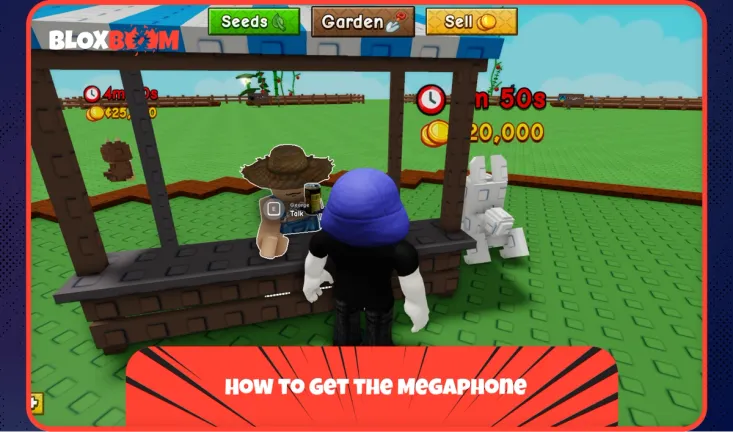
The Megaphone is sold by George at the Gear Shop for 8,000 Sheckles or 49 Robux. It's a permanent purchase, so you only need to buy it once.
- Press the Sell or Seeds button to teleport to the central lobby.
- Head to the Gear Shop counter and interact with George to open the gear menu.
- Scroll through the list, find the Megaphone, and purchase it.
Once bought, it goes straight into your inventory and stays there permanently.
Also Read: Grow a Garden 2 Admin Abuse: Everything You Need to Know
Best Grow a Garden 2 Megaphone Sound IDs
There's no wrong choice here. The best Sound ID is simply the one you enjoy playing. That said, the codes below cover the most popular picks across phonk, memes, funny tracks, and more, so there's something for everyone.
| 5410086218 | Noisestorm – Crab Rave |
| 142376088 | Raining Tacos |
| 103561309094892 | 67 |
| 106000088638410 | 67 Brainrot |
| 127798544476125 | 67 Meme |
| 104758630343793 | $TARS Align |
| 17422173467 | AB4T |
| 130434970640054 | Alien Boy |
| 138801603792399 | Analog Vibes |
| 94560286217320 | Backseat |
| 136350225160627 | Bloody Phonk |
| 107128147864287 | Bombardiro Crocodilo |
| 138391671909650 | Brainrot Divine Drop |
| 129839967918512 | Brainrot Gang Rap |
| 125498129824026 | Brazil Fiesta |
| 126271266950979 | Brr Brr Patapim |
| 119369874444335 | Bumboclat |
| 136579058345590 | Burn the Night |
| 95002349594321 | California Love |
| 16190760005 | Cowbell God |
| 130886899193236 | Crying Dude |
| 105529482486905 | Dark Phonk Damage |
| 1837015626 | Tokyo Drift |
| 1626996526 | Windows XP Theme |
Also Read: All Grow a Garden 2 Gears: Full List, Prices & Effects
How to Use the Megaphone in Grow a Garden 2
Once you have the Megaphone, open your inventory and equip it. A gear icon will appear on the right side of your screen. Click it to open the settings menu, paste your Sound ID into the input box, and hit enter. The audio will start playing across the server immediately.
- Click the button on the hotbar assigned to the gear.
- Alternatively, go to the Gear Shop and click the Equip button under the Megaphone.
- Once equipped, click the gear icon on the screen.
- Type a Roblox Sound ID in the song ID section and press enter.
- You can also adjust the Megaphone volume from the same menu or the main menu.
You can only have one Sound ID active at a time, but you can swap it out whenever you want.
Conclusion
The Megaphone is one of the more entertaining additions to Grow a Garden 2. It won't help your crops grow faster, but it makes long farming sessions a lot more fun. Pick a Sound ID from the list above, equip it, and you're good to go.