

How to Get Verified on Roblox


TL;DR
Roblox has two kinds of verification. The age check is open to anyone 13 and older and takes a few minutes in Settings. The blue Verified Badge cannot be applied for. Roblox grants it once a month to notable creators who have completed ID verification, turned on an authenticator app, and been active in the last 180 days.
Verified on Roblox can mean two different things, and most players mix them up. One is an age check that unlocks features like Voice Chat. The other is the blue checkmark you see next to the names of top creators. Roblox handles them separately, with different requirements and different results. In this article, we'll explore how each one works, what Roblox requires for the blue badge, and how to avoid losing it once you have it.
What Does Verified Mean on Roblox?
The first type is age verification. You confirm your age with a facial age estimate or a government ID, and Roblox uses the result to unlock age-based features such as Voice Chat. Phone verification no longer unlocks Voice Chat, so a verified phone number alone will not do it.
The second type is the Verified Badge, the blue checkmark that sits beside a display name on profiles, Marketplace pages, item and experience pages, and search results. It tells other players that the account is authentic and belongs to a notable creator, brand, or group. A checkmark in someone's bio or profile picture is not the real badge.
The badge does not affect search or recommendations, and Roblox says it is not an endorsement. Accounts without it are not pushed down.
How to Get the Blue Verified Badge on Roblox
Regular creators cannot apply for the badge. There is no form and no request button. Roblox checks accounts on its own and issues badges once a month, so it can take a full month after you qualify before the checkmark appears. Per the official Verified Badge FAQ, your account needs to pass three checks: notable, authentic, and secure and active.
Notability Requirements
Which route applies to you depends on what you do on the platform.
Experience developers must be the owner, or hold a 10% or higher automatic group payout, of an experience with more than 1 million playtime hours in the last 90 days. Manual or direct payouts do not count, and co-owners without an automatic payout do not qualify.
Avatar item creators need at least 2 million Robux in revenue and 200,000 items sold in the last 90 days, either as an individual or through a group.
Video creators qualify through the Roblox Video Stars program. Brands and public figures do not use a public route and should contact their Roblox partnership representative.
Authentic, Secure, and Active
Once you pass the notability check, Roblox confirms the rest. Your account must have completed ID verification, so Roblox knows you are who you claim to be. It must also have an authenticator app enabled for two-step verification, and it must have been active on Roblox within the last 180 days.
How to Verify Your Age on Roblox
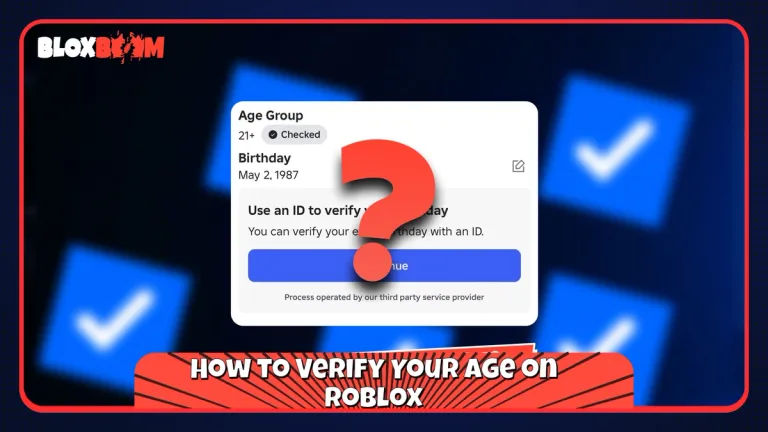
Age verification is the step most players actually need, and it is also required before the badge. Open Settings (the gear icon on the web, or More, then Settings in the mobile app), go to Account Info, and find Age Group.
For the selfie route, tap Continue with selfie and follow the camera prompts. Roblox estimates your age from the scan.
For the ID route, tap Continue with ID under your birthday and age group. This is open to users 13 and older with a government-issued photo ID. Allow camera access, photograph your ID (both sides if it has a barcode), take the requested photo of yourself, and return to Roblox to see the result. You can read the full process on the official ID Verification page.
If the estimate is wrong, use Continue with ID to correct it. Roblox Support cannot manually verify an ID or override an age check, so the in-app options are the only fix.
How to Keep Your Verified Badge
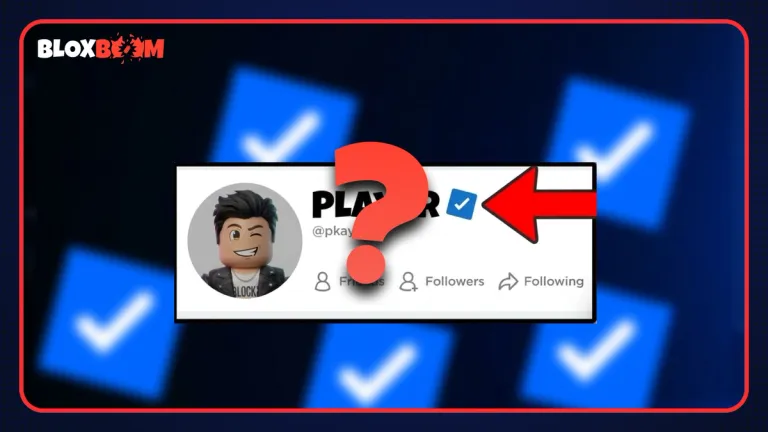
Getting the badge is only half of it. Roblox removes it automatically if you change your username or display name, turn off your authenticator, change a verified group's name, or change its owner. Breaking Roblox rules, selling the badge, or spoofing it also removes it.
If the badge was removed for a non-violation reason, restore your original username and display name, confirm ID verification is in place, and turn the authenticator back on. Then contact Roblox Customer Support to request a re-grant.
To set up the authenticator, install an app such as Microsoft Authenticator, open Settings, go to Security, and enable the authenticator method. Generate recovery codes in the same menu and store them somewhere safe. Verified accounts attract scammers, and trading is where most of them strike, so check item values before you accept any offer.
Also Read: How Much Is Laser Worth in MM2? (2026)
Conclusion
The age check is quick, open to most players, and worth doing first. The blue badge is a different story, since it depends on scale: 1 million playtime hours, 2 million Robux, or a spot in Video Stars. If you are building toward it, turn on your authenticator and finish ID verification early, and keep your username and display name unchanged once you qualify.