

How to Get Robux With Microsoft Rewards (2026)


TL;DR
Microsoft Rewards still gives Robux through the Roblox Digital Card, which currently costs 13,400 points for 840 Robux or 16,750 points for 1,050 Robux in the US. The cards disappeared in April 2026 and came back by July, but stock and availability still change by region. If the card is missing for you, a $10 Xbox gift card (about 11,000 points) lets you buy Robux on Xbox instead.
Microsoft Rewards is a free program that pays you points for searching on Bing, finishing daily activities, and playing on Xbox. Those points can be swapped for gift cards, and the Roblox Digital Card is one of the most popular rewards in the whole catalog.
The problem is that the Robux card does not always show up. It vanished from the catalog in April 2026; a lot of guides still say it is gone for good, and the point prices changed when it came back. Earning points also got slower in many regions after Microsoft switched to the new Member, Silver and Gold tiers.
Also Read: How to Get Verified on Roblox
Does Microsoft Rewards Still Give Robux in 2026?
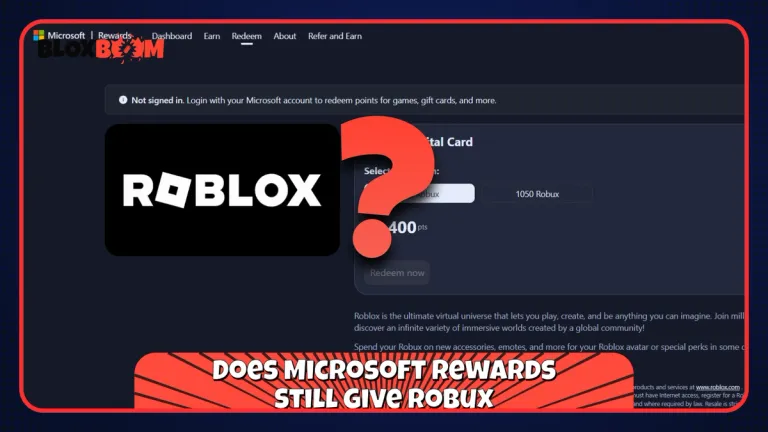
Yes. The Roblox Digital Card on Microsoft Rewards is live right now with two options: 840 Robux for 13,400 points and 1,050 Robux for 16,750 points. That works out to roughly 16 points per Robux.
Back in April 2026, every Robux card (400, 800, and 1,000) was pulled from the catalog without any explanation from Microsoft. By mid-July, the 800 and 1,000 Robux cards were back in the US, and by late September they were replaced by the bigger 840 and 1,050 Robux cards.
The catch is that the catalog is different in every country. Players in India, for example, report the Robux card disappearing again after a short restock in August. Microsoft does not publish restock dates, so the only way to know is to check the Redeem page in your own account.
How to Redeem Microsoft Rewards Points for Robux
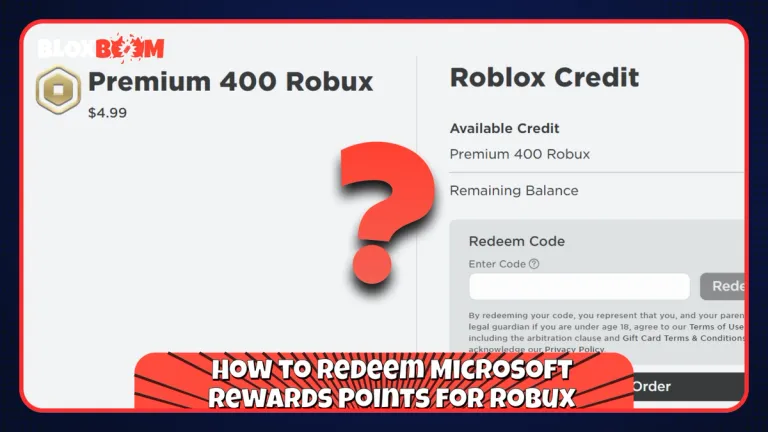
Sign in to Microsoft Rewards, open the Redeem tab, and search for Roblox. Pick the 840 or 1,050 Robux option, click Redeem now, and confirm the order.
Microsoft will ask you to verify with a mobile or landline phone number. VoIP numbers are not accepted, and too many wrong codes lock you out for 48 hours. Once the order goes through, the code is sent to your Microsoft account email, and you can also find it under Order history.
To claim the Robux, open roblox.com/redeem in a web browser, sign in to the Roblox account you want the Robux on, and enter the code. Redeeming on the web gives you the full gift card value, so skip the mobile app for this step.
Keep in mind that you have to redeem in the same region you signed up in. Using a VPN or running more than one Rewards account can get your account banned and your points removed. If you're under 13, the Microsoft account needs a parent's consent, and our Parent's Guide covers the rest of the safety side.
Also Read: How to Delete a Roblox Account (2026)
How to Earn Microsoft Rewards Points Faster
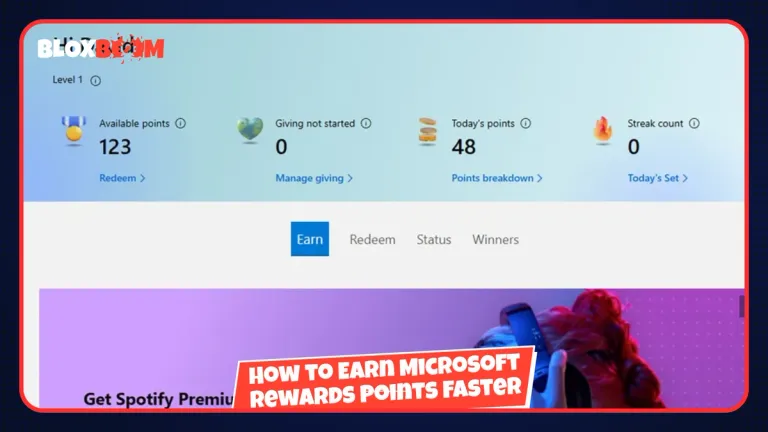
In regions that moved to the new tier system, Bing searches are capped at 15 points a day for Member, 30 for Silver, and 60 for Gold. Moving up a tier is the biggest boost you can get, so focus on earning consistently every month.
The Daily Set on the Rewards dashboard gives points without touching your search cap, and keeping your search streak alive adds a monthly bonus on top. Silver and Gold members also get the Bing STAR Bonus, which pays up to 2,100 points a month at Gold. Xbox players can add Game Pass quests and the Xbox app activities for even more.
To give you a realistic idea, if you average 100 points a day, the 840 Robux card takes about 134 days, so plan for four to five months. Never use bots or auto-search extensions, since Microsoft bans accounts for it, and your points expire if you don't earn or redeem anything for 12 months.
What to Do When the Robux Card Is Out of Stock
Don't wait for months with your points sitting there. Redeem a $10 Xbox gift card, which costs about 11,000 points in the US catalog, and add it to your Microsoft account balance.
You can then buy Robux with that balance inside Roblox on an Xbox console, or in the Roblox app from the Microsoft Store on Windows. This route skips the Robux stock problem completely, but it only works on those two platforms. If you play on a phone, you're better off saving your points and checking the Redeem page every few days.
Also, watch out for sites that promise free Microsoft Rewards Robux codes. Roblox says any offer of free Robux is a scam, and the only safe place to get the code is your own Rewards account.
Conclusion
Microsoft Rewards is still one of the few safe ways to get Robux without paying cash, but it takes patience. Start earning now, push your account to Silver or Gold as fast as you can, and check the Redeem page often, since the Robux card can go out of stock without any warning. If it stays missing for weeks, switch to the Xbox gift card route instead of letting your points sit there.