

How to Make a Gamepass on Roblox and Earn Robux


TL;DR
To make a gamepass on Roblox, publish your game, open Creator Hub, go to Creations, select your game, then open Monetization and Passes, and click Create pass. Upload an icon (512x512 pixels maximum), add a name and a description, then turn on sales and set a Robux price. Roblox takes 30% of every sale, so you keep 70%, and you can cash out through DevEx once you have 30,000 earned Robux.
How to Make a Gamepass on Roblox
What You Need First
A gamepass is a one-time purchase that unlocks a permanent perk in your game, like a VIP area, a speed boost, or an exclusive item. Your game must be published and accessible on Roblox before you can create a pass. A basic baseplate game is enough to practice on. Roblox now labels this feature Passes in Creator Hub, so look for that name instead of "Game Passes".
Create the Pass in Creator Hub
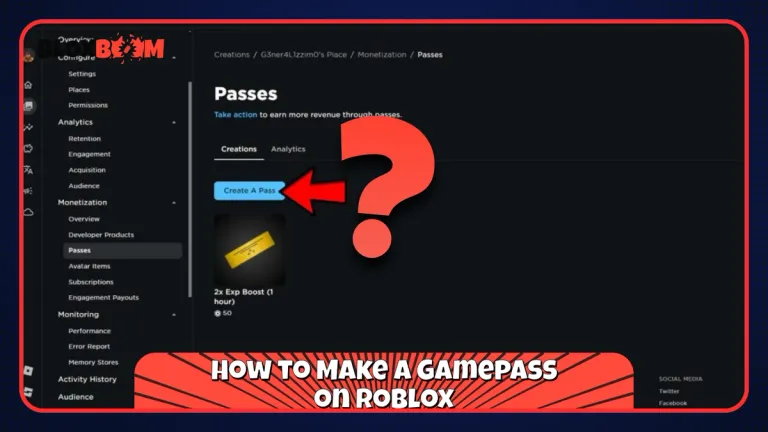
Go to Creator Hub, open Creations, and select your game. Open Monetization, then Passes, and click Create pass. Upload an icon that is no larger than 512x512 pixels in .jpg, .png, or .bmp format. Roblox shows pass icons in a circle, so keep the important parts of the image inside it.
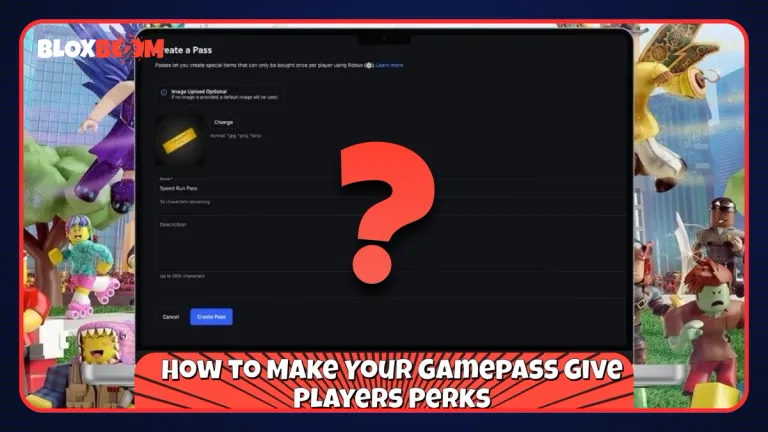
Next, enter a name and a description that says exactly what the pass unlocks, then choose a category, which Roblox uses to organize your in-game Shop. Click Create pass to finish. The official steps in the Roblox passes documentation list no fee for creating a pass.
Also Read: Can You Play Roblox on Nintendo Switch?
Put the Pass on Sale
A new pass earns nothing until it is on sale. Go back to Monetization and Passes, click the three-dot menu on your pass, and select Sales. Turn on the item for sale, enter your Robux price, and save.
You can also sell the pass outside your game. Go to Monetization, then Shop, and mark the pass as Listed. Roblox then shows listed passes on the homepage, in search results, and on the page players see after buying Robux. A custom icon helps here, because Roblox shows a default icon if you skip it.
Make a Gamepass on Mobile
The Roblox mobile app does not give you the full creator menus. Open Creator Hub in your phone's browser, switch to the desktop site, and follow the same steps above.
How to Make Your Gamepass Give Players Perks
Creating the pass does not grant anything by itself. Roblox requires you to assign pass privileges with a script, so you first need the pass ID. Go to Monetization and Passes, hover over the pass thumbnail, click the three-dot button, and select Copy Asset ID.
Then add a script inside ServerScriptService so the server controls who gets the perk. The script should check whether a player owns the pass when they join, and again when they buy it during a session, then give them the perk. Roblox provides sample scripts for this in its passes documentation, so you do not need to write it from scratch.
To let players buy the pass inside your game, add a purchase prompt to a button or an NPC, and check first that the player does not already own the pass. Test everything in Studio before you publish. Passes are meant for permanent perks. If you want players to buy something again and again, like currency or potions, use developer products instead.
Also Read: How to Delete a Roblox Account (2026)
How Much Robux Do You Earn From a Gamepass?
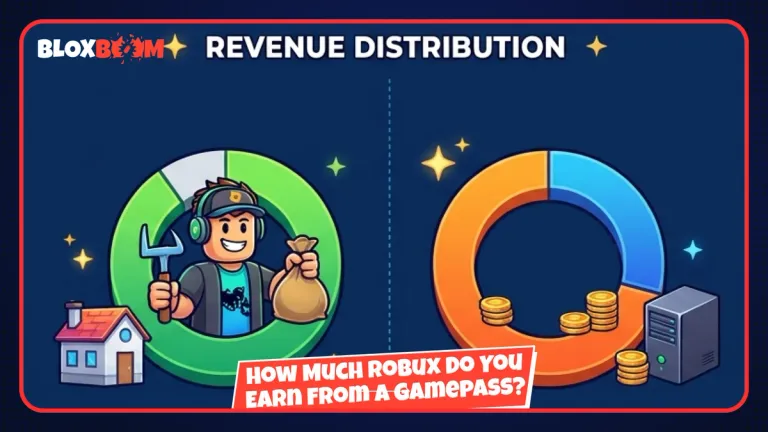
Roblox takes a 30% marketplace fee on gamepass sales, so a 100 Robux pass pays you 70 Robux. To net a specific amount, divide it by 0.7. If you want to keep 100 Robux per sale, price the pass at about 143 Robux.
Robux earned from passes counts as Earned Robux, which you can exchange for real money through the Developer Exchange (DevEx) program. The standard rate is 0.0038 per Earned Robux, which comes to $114 for 30,000 Earned Robux. Roblox offers a higher rate of 0.0054 for certain Earned Robux from US players who have verified they are 18 or older.
To cash out, you must be at least 13 years old, have at least 30,000 Earned Robux, have a verified email, a DevEx portal account, and a W-9 or W-8 tax form on file. You can complete one DevEx request per calendar month, and a first request takes around 10 business days. At the standard rate, a 100 Robux pass nets about $0.27 per sale, so you would need roughly 429 sales to reach the 30,000 minimum. Passes sold in template games with no real player visits do not count as Earned Robux.
Conclusion
Making a gamepass takes five minutes, but the earnings come from what you build around it. Price the pass based on the 70% you actually keep, describe the perk clearly, and test the script before you promote it. Once your pass sales add up to 30,000 Earned Robux, you can cash out through DevEx.