

How to Trade in Roblox (2026 Guide)


TL;DR
To trade in Roblox, both players need Roblox Plus or a legacy Premium plan, a completed age check, and trading turned on in Privacy & content restrictions > Trading & inventory. Only Limited and Limited U items made by Roblox can be traded, with up to 4 items on each side, and any Robux you add loses a 30% fee. For a limited time, players in the United States get 2 free trades a month without Plus.
Roblox changed its trading rules in 2026. Roblox Plus replaced Premium on April 30, 2026, and every player now has to pass an age check before they can send, accept, or counter a trade. Most older guides still say Premium is the only way in, which is why a lot of players open a profile and can't find the Trade Items button.
Trading runs through the official trade window. You swap Limited items, add Robux to even things out if needed, and the trade goes through the moment both sides agree. There is no undo button, so the setup and the value check matter more than the clicks. In this article, we'll explore what you need before your first trade, how to send and answer an offer, and how to tell if a trade is fair.
Also Read: How to Get a Refund on Roblox
What Do You Need to Trade in Roblox?
You need an active Roblox Plus subscription to trade without limits. If you still have Roblox Premium from before Plus launched, it keeps working for trading as long as it stays active, but once it ends, you can't buy it again. Players in the US can make 2 free trades a month without any subscription, and that count resets at the start of every month.
The player you trade with has to meet the same rules. Both of you also need to finish the age check, which you can do with a selfie or an ID from Settings, and our guide on how to get verified on Roblox walks you through it. After that, go to Account Settings > Privacy & content restrictions > Trading & inventory and turn on both trading and inventory visibility. Trading is not available in South Korea.
Which Items Can You Trade in Roblox?
Only Limited and Limited U items created by Roblox can go into a trade. A Limited is an item that went off-sale, so you can only get it from other players. A Limited U was sold in a fixed number of copies, and each copy has its own serial number, like #45 of 100. UGC Limiteds, regular catalog items, and game passes can't be traded. To check any item, open its details page and look at the Tradable field. If it says Yes, it can go into a trade.
How to Trade in Roblox Step by Step
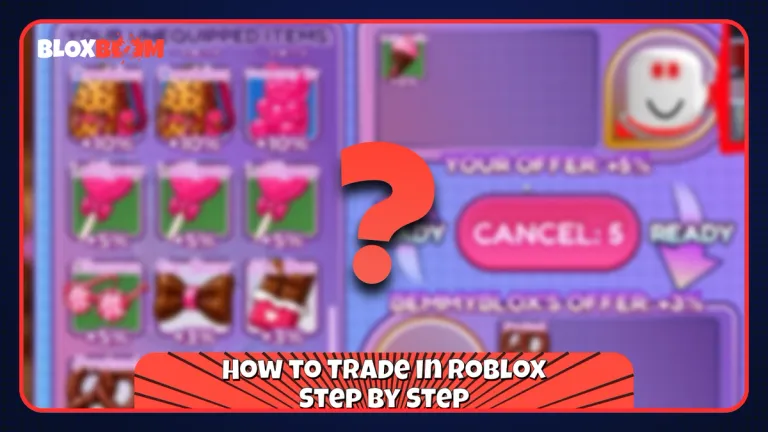
Go to the profile of the player you want to trade with, select the three dots in the top right corner of their profile box, and choose Trade Items. In the trade window, add the items you're giving under Your Offer and the items you want under Your Request, with up to 4 items on each side. Select Make Offer, and the other player gets a message where they can accept, decline, or counter it.
How to Accept, Decline, or Counter a Trade
Select Trade from the left menu on any Roblox page and use the Trade Type menu to switch between Received, Sent, Completed, and Closed. Open an offer under Received to accept it, decline it, or counter it with new terms. Accepted trades are final. Roblox won't reverse, refund, or dispute them for any reason, so check every item before you click.
Adding Robux and Trade Holds
You can add Robux to balance a trade, but Roblox takes 30% of it once the offer is accepted, so 100 Robux arrives as 70. The Robux left after the fee also can't be more than 50% of the value of the items you're offering. If your item is worth 300 Robux, the most you can add is 150 after the fee.
Items also get locked for a while after they move. An item you receive in a trade can be on hold for up to 2 days, and a Limited you buy from another player can be on hold for up to 7 days. You can't trade it again until the hold ends, so check this before you promise an item to someone.
Also Read: How Much Is Laser Worth in MM2? (2026)
How to Know If a Roblox Trade Is Fair
Every Limited page shows a Recent Average Price (RAP), which is the average price the item has sold for lately. Traders also follow community values on sites like Rolimon's, and those often differ from RAP because they're based on what people actually give in trades. On Limited U items, the serial number also changes the price, and low serials usually trade for more than the same item with a high one. If an item's RAP jumped out of nowhere, someone may have pushed the price up on purpose, so look at the price chart on its page before you accept.
How to Avoid Roblox Trading Scams
Roblox treats every completed Limited trade as final, so a bad deal stays bad. Never trade Limiteds for real money, accounts, or items from other games, and never send a Limited first on a promise of something in return, because Roblox can't return anything you lose in those deals. To cut down on bad offers, open Trading & inventory in your settings and set the Trade quality filter to Low, Medium, or High, and anything below that level gets hidden automatically. The full rules are on the official Trading on Roblox page.
Games like Grow a Garden and MM2 have their own trade systems that work separately from the Roblox trade window, and you can see how one of them works in our guide on how to trade in Grow a Garden.
Also Read: Is Eldorado.gg Legit?
Conclusion
Set everything up before you look for your first trade. Get Roblox Plus or make sure your Premium is still active, finish the age check, and turn on trading in your settings. Before you build an offer, check that every item says Yes under Tradable and isn't still on hold, leave Robux out of your offers when you can to skip the 30% fee, and never accept an offer you haven't checked item by item.